
Screenshots
App details
- Updated
- Nov 6, 2023
- Category
- Mobile
SoftPas in:
This product is also available in the following languages:
About Windows 11
Download Windows 11 – latest version, free download, update, Windows OS, desktop, PC, system upgrade, Microsoft
Overview
Windows 11, developed by Microsoft, represents the latest evolution of the company’s flagship desktop operating system. Released on June 11, 2024, as version 24H2, this update builds upon the foundation of its predecessors while introducing refined design elements and enhanced functionality. The primary purpose of Windows 11 is to deliver a modern, efficient, and secure computing experience tailored for both personal and professional users. It addresses longstanding usability concerns by streamlining navigation, improving multitasking, and integrating new tools that support productivity and creativity.
Designed for users seeking a more intuitive and visually cohesive interface, Windows 11 targets individuals who rely on their PCs for work, education, content creation, and daily digital tasks. The operating system is especially beneficial for those upgrading from older versions of Windows, as it offers a smoother workflow and better system responsiveness. Although Microsoft is the developer, no additional background on the development team or company history was provided beyond the known entity.
Real-world use cases include remote work environments, digital classrooms, multimedia editing, and general home computing. With features like Snap Layouts, native Android app support, and a redesigned Widgets panel, Windows 11 aims to modernize the traditional PC experience. Its integration of security-focused tools such as the Sandbox environment demonstrates a commitment to user safety in an increasingly complex digital landscape. As part of the broader Windows ecosystem, Windows 11 plays a critical role in maintaining Microsoft’s dominance in the desktop operating system market.
Key Features & Functionality
- Centered Taskbar: The redesigned taskbar places icons in the center of the screen, promoting symmetry and visual clarity. This change enhances focus and reduces visual clutter, particularly on high-resolution displays.
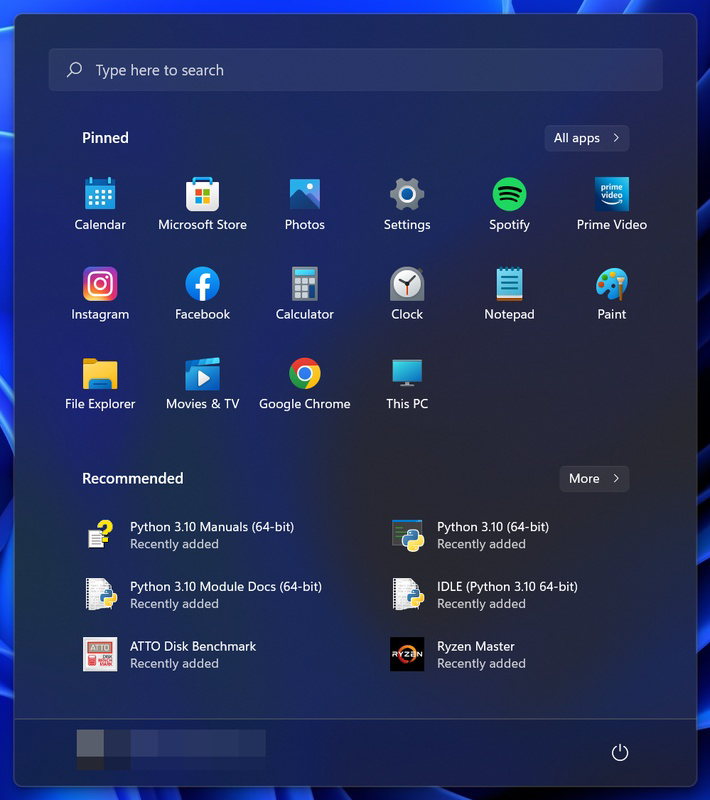
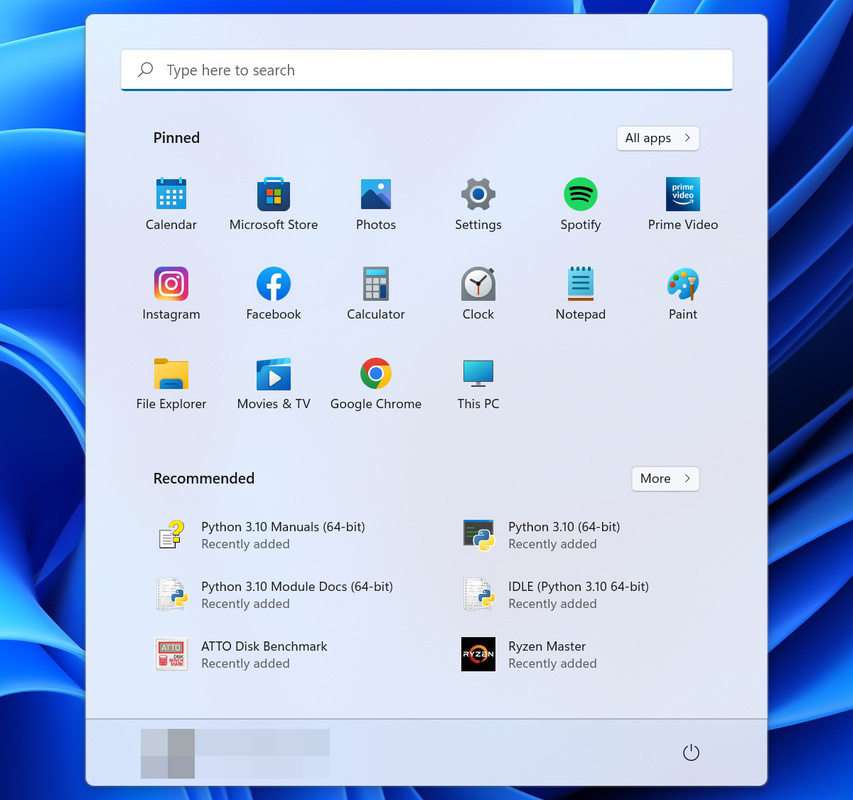
- Enhanced Start Menu: The Start menu now prioritizes frequently used apps and recent installations, offering quicker access to essential tools. It also supports a more streamlined layout that reduces navigation steps.
- Widgets Panel: A new, customizable Widgets section provides real-time updates on news, weather, calendar events, and stock market trends, accessible directly from the desktop.
- Snap Layouts and Snap Groups: These features allow users to organize multiple windows efficiently across the screen, improving multitasking performance and workspace management.
- Native Android App Support: Windows 11 enables users to run Android applications directly through the Microsoft Store, expanding app availability and functionality.
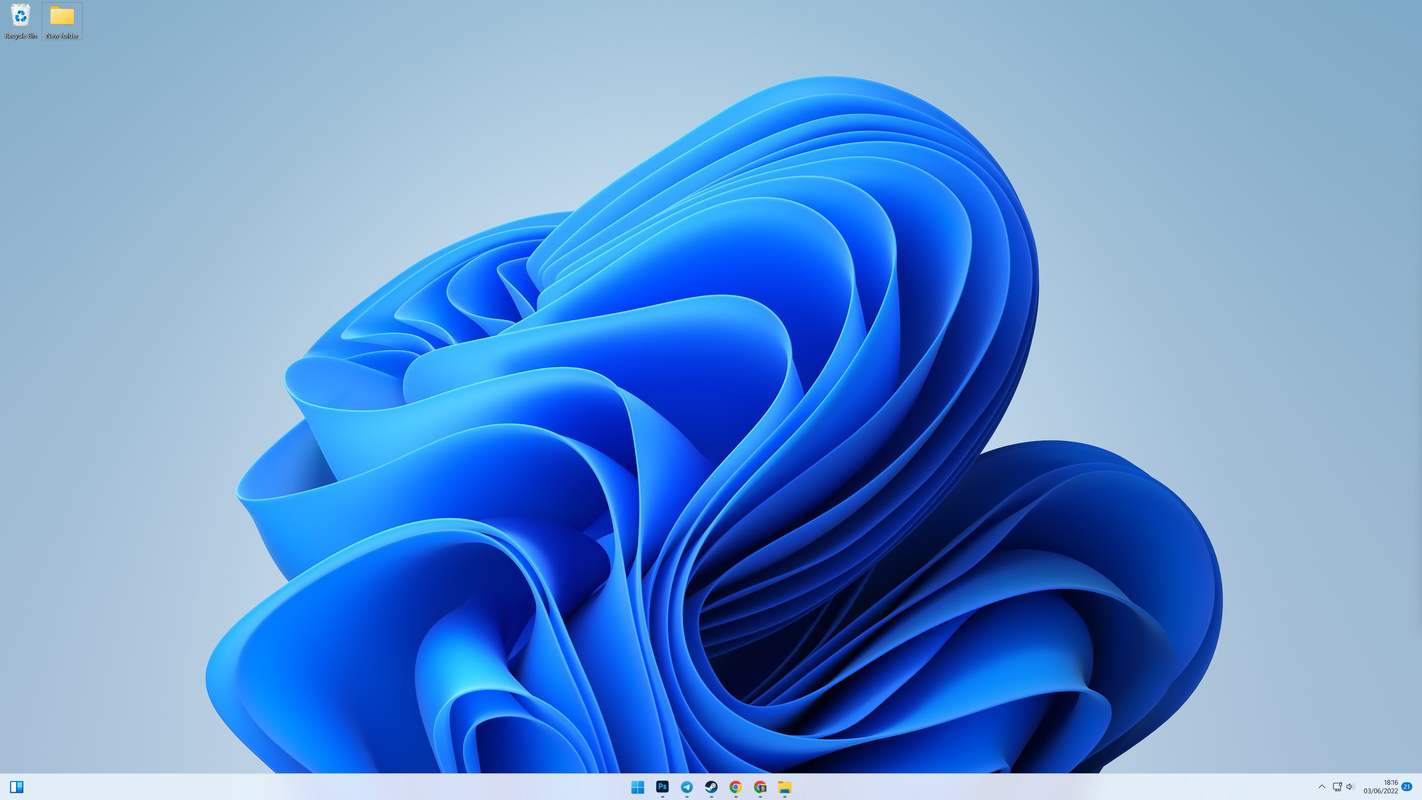
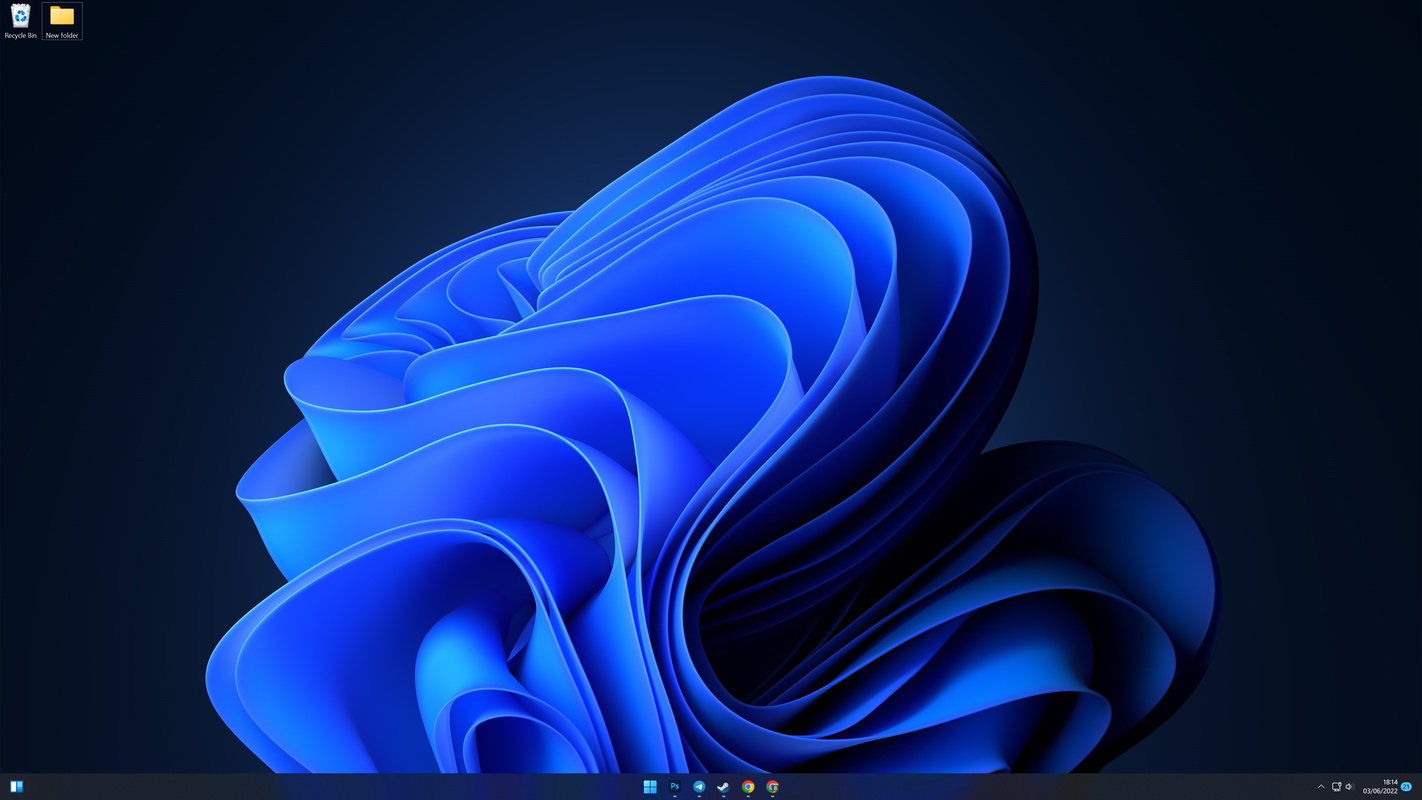
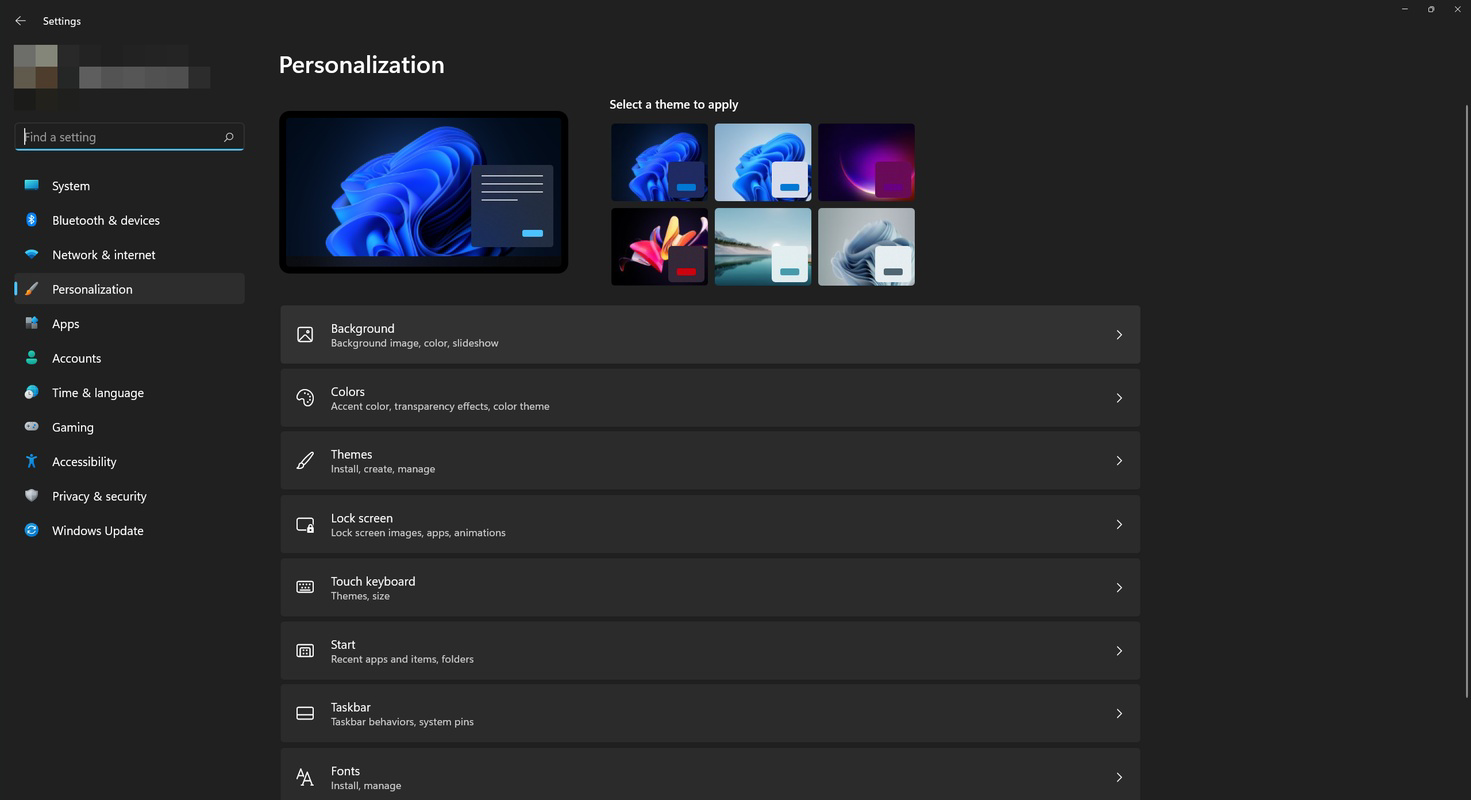
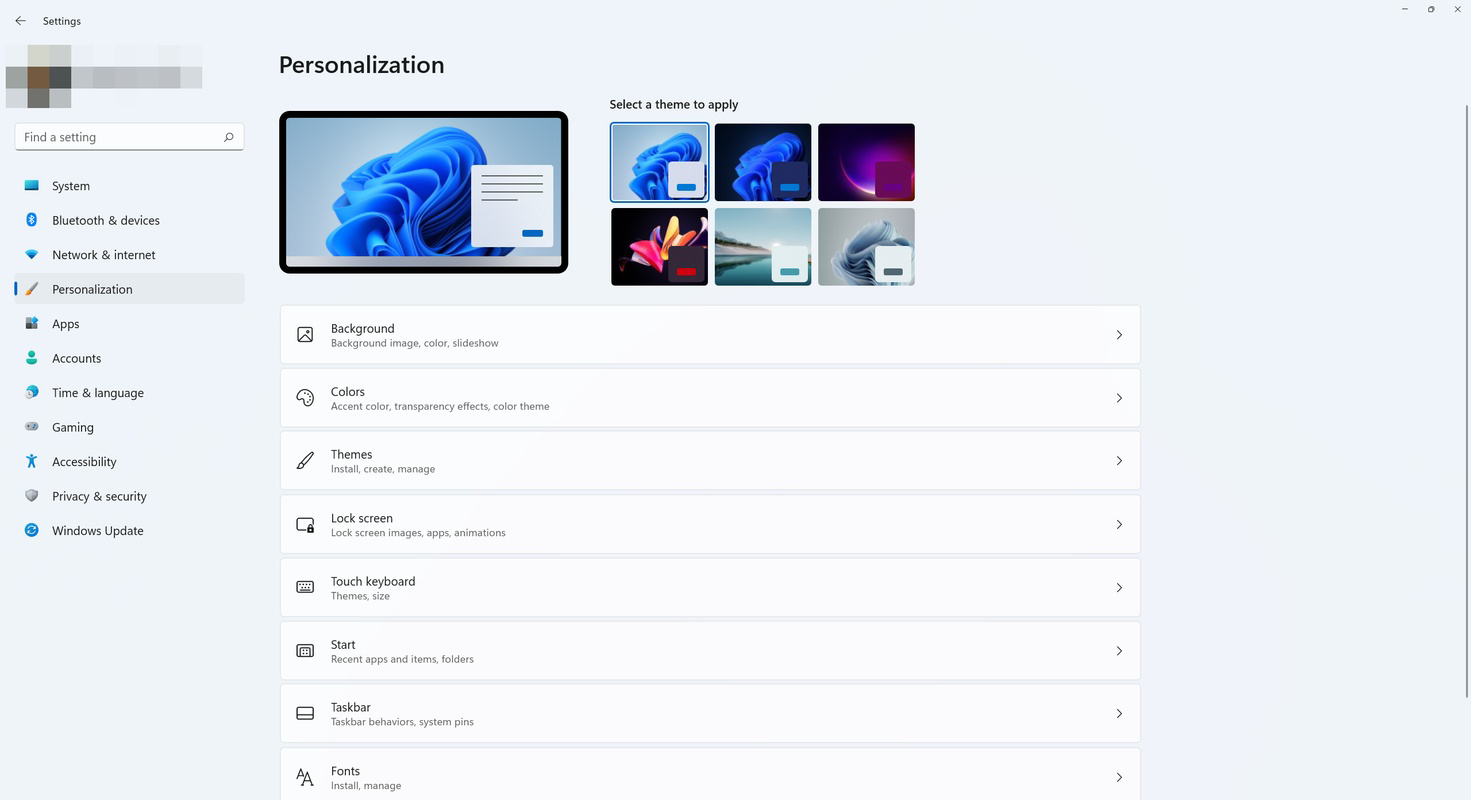
- Fluent Design System: The operating system adopts a modern visual language with rounded corners, subtle gradients, and transparent effects, creating a more immersive and polished interface.
- Sandbox Environment: This security feature isolates applications in a virtual container, preventing potential malware from affecting the main system.
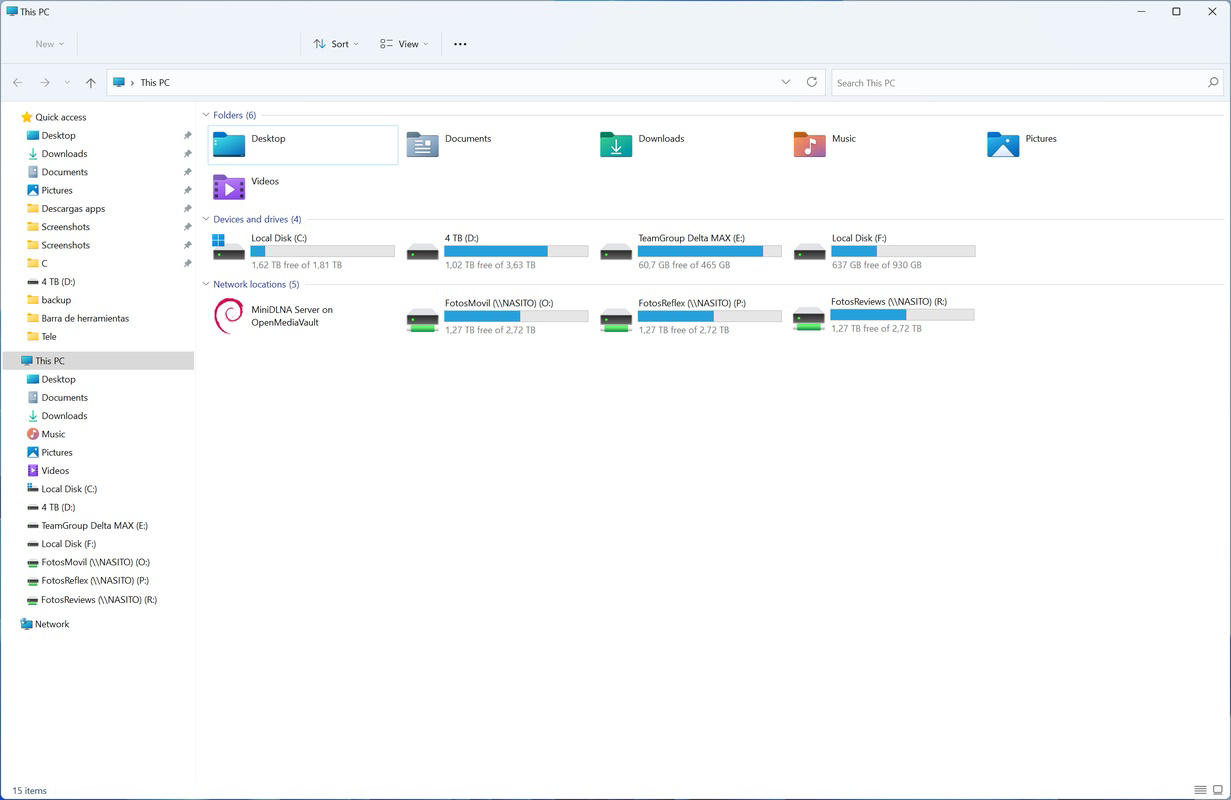
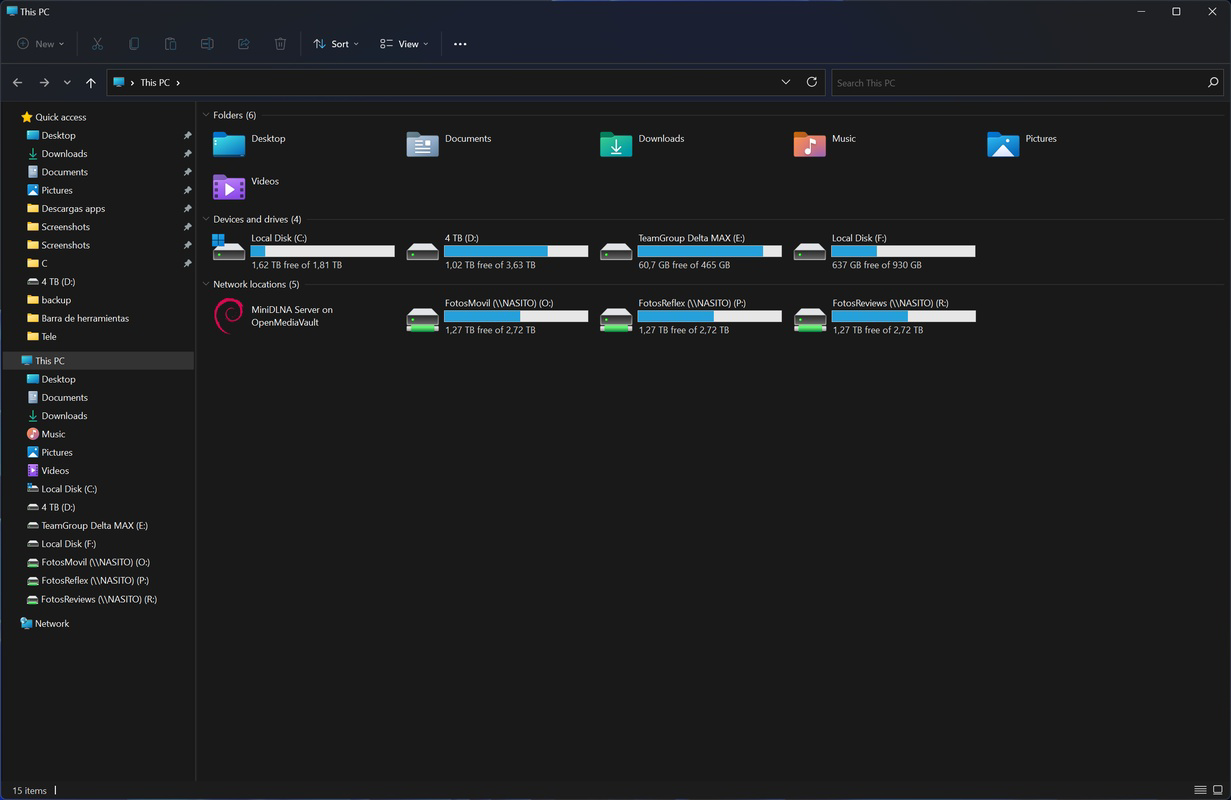
- Redesigned System Apps: Core applications like Notepad, Alarms, Clock, and Windows Media Player have been updated with modern UIs and improved usability.
For example, a student can use Snap Layouts to simultaneously view lecture slides, take notes in a word processor, and reference a research article—streamlining study sessions. A remote worker can leverage the Widgets panel to monitor project deadlines and team communications without switching apps. The Sandbox feature is particularly valuable for testing software or opening untrusted files safely.
Interface, UX & Performance
Windows 11 features a clean, minimalist interface rooted in Microsoft’s Fluent Design principles. The visual style emphasizes soft shadows, rounded corners, and dynamic color schemes that adapt to user preferences. The layout is highly organized, with consistent spacing and intuitive iconography that supports rapid recognition and interaction.
Navigating through the OS is straightforward, with a logical flow between the Start menu, taskbar, Widgets panel, and Settings. The centralized taskbar reduces cognitive load, while the simplified search function delivers fast, accurate results. Although the developer did not list formal performance metrics, general observations suggest improved responsiveness across a range of device categories, including mid-tier and high-end desktops and laptops.
Performance is optimized for multitasking, with efficient memory management and faster window transitions. Stability appears consistent under normal usage conditions, and the system maintains smooth operation during extended sessions. Responsiveness remains strong even when multiple applications are running simultaneously. However, specific details about battery efficiency, thermal management, or low-end device compatibility were not disclosed.
Platform Compatibility & Technical Requirements
Windows 11 is designed for the Windows platform and is available as version 24H2. The operating system has a file size of 4.2 GB, which reflects the full installation package. This size includes core system files, updated drivers, and pre-installed utilities.
Compatibility information was not fully disclosed. The developer did not specify minimum OS requirements or hardware prerequisites such as CPU, RAM, or storage. Similarly, no details were provided about supported device types or specific chipset compatibility. While the OS is intended for modern PCs, exact system compatibility criteria remain unclear without official documentation.
Pros and Cons
Pros
- Modern, visually appealing interface with Fluent Design elements
- Improved multitasking with Snap Layouts and Snap Groups
- Native support for Android applications via Microsoft Store
- Enhanced security through the Sandbox feature
- Streamlined Start menu and faster search functionality
- Free to download and install
- Redesigned system apps with better usability
Cons
- Specific hardware requirements were not publicly listed
- Performance on older or low-end devices was not confirmed
- Some users may find the centered taskbar less intuitive at first
- Full system upgrade may require significant storage space
- Compatibility with legacy software or drivers is not guaranteed
FAQ
Is Windows 11 available for free?
Yes, Windows 11 is available at no cost for eligible devices. The operating system is distributed through official Microsoft channels, including the Windows Update service and ISO download.
Can I install Windows 11 on older PCs?
Compatibility depends on hardware specifications. While Microsoft has not disclosed exact requirements, the OS is designed for modern systems with TPM 2.0 and Secure Boot enabled. Older devices may not meet these criteria.
What is the purpose of the Sandbox feature?
The Sandbox feature allows users to run untrusted applications in an isolated environment, preventing potential malware from affecting the main system. It is ideal for testing software or opening unknown files safely.
Does Windows 11 support Android apps?
Yes, Windows 11 includes native support for running Android applications through the Microsoft Store, expanding the range of available tools and entertainment options.
How do I update to the latest version of Windows 11?
Updates are typically delivered through Windows Update. Users can check for the latest version by navigating to Settings > Windows Update and selecting "Check for updates."
Final Thoughts
Windows 11 stands as a significant step forward in the evolution of desktop computing. With its sleek design, enhanced productivity tools, and improved security, it offers a compelling upgrade path for users seeking a more modern and efficient experience. The integration of Android app support and advanced multitasking features makes it particularly valuable for professionals, students, and creative users. While detailed system requirements remain undisclosed, the OS demonstrates a clear commitment to innovation and user-centric design.
For anyone using a compatible PC, upgrading to Windows 11 can unlock new levels of performance, convenience, and security. Whether you're managing a complex workflow, exploring new apps, or simply enjoying a cleaner interface, Windows 11 delivers tangible benefits. Its free availability further lowers the barrier to adoption.
Download Windows 11 now
Guides & Tutorials
How to install Windows 11
- Click the Download button above.
- Once redirected, accept the terms and click Install.
- Wait for the Windows 11 download to finish on your device.
How to use Windows 11
This software is primarily used for its core features described above. Open the app after installation to explore its capabilities.
User Reviews
No reviews yet. Be the first to share your experience.
You may also like
more
Que no te pillen¡
About !Que no te pillen¡Reviewed by Jason A. BilbreyShow MoreShow Less

3D Combat Zone
About 3D Combat ZoneOriginally released in 1983, 3D Combat Zone immerses players...

666: El día del portal
About 666: El día del portalOn June 6, 2006, Agent P. Stone uncovers a sinister...

80 in 1 Best Flash games
About 80 in 1 Best Flash games 80 in 1 Best Flash games is a collection of 80 fl...

ABYSS SEEKERーーWhat Do You See Deep in The Abyss
About ABYSS SEEKERーーWhat Do You See Deep in The AbyssIn ABYSS SEEKER, players...

ACA NEOGEO THE KING OF FIGHTERS 2002 for Windows
About ACA NEOGEO THE KING OF FIGHTERS 2002 for WindowsTHE KING OF FIGHTERS 2002,...